Weight & growth trends
Every exam weighs the patient, and weigh-ins stack into a growth trend you can see at a glance on the patient list.
What you see
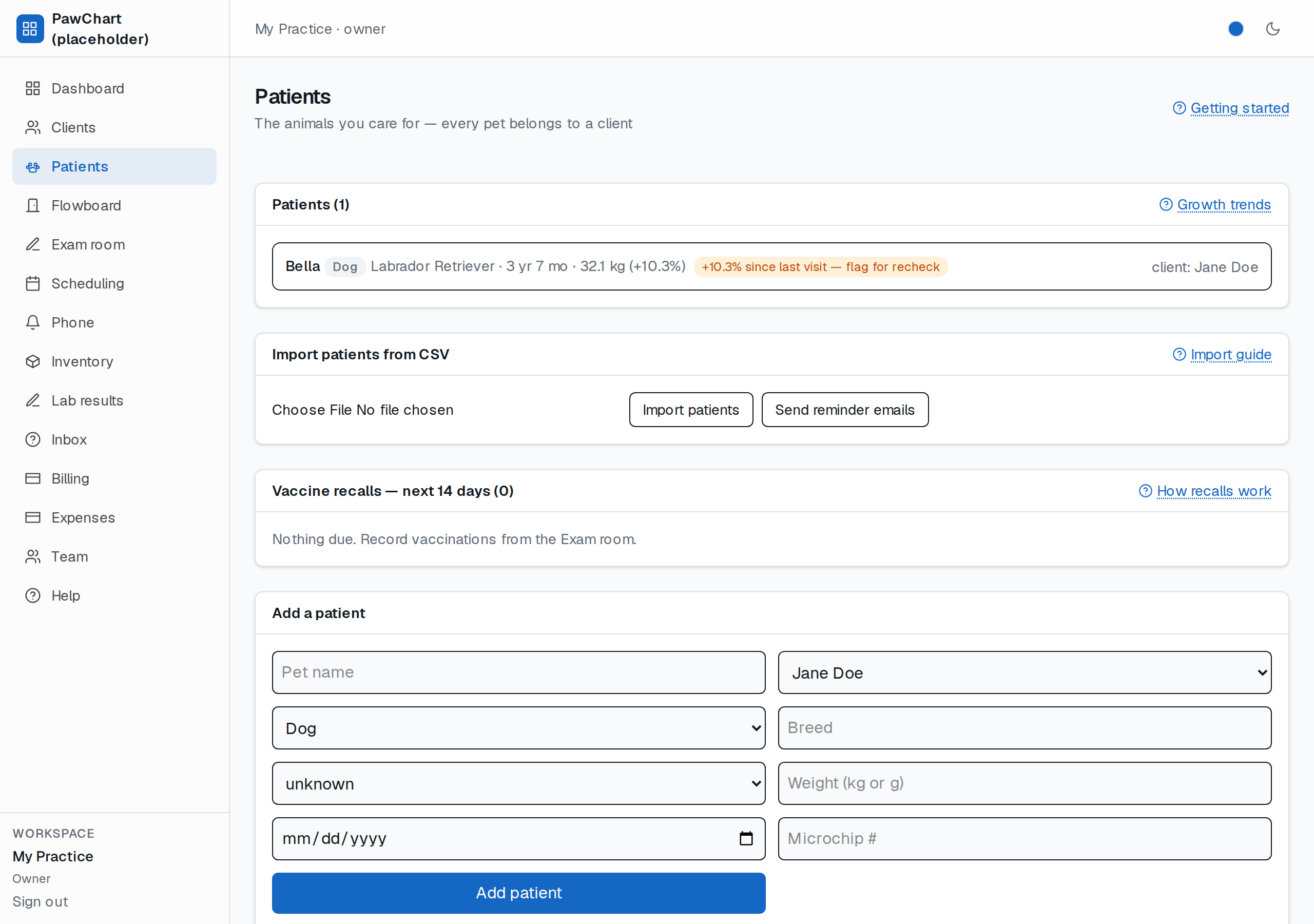
Next to each patient: their latest recorded weight and the % change since the previous visit — e.g. `29.1 kg (+2.1%)`. Nothing to click, nothing to set up.
The flag that matters
If a patient gains or loses 10% or more between visits, the row gets an amber flag: *“+10.3% since last visit — flag for recheck”*. That's a prompt to call the owner in, not an auto-diagnosis. Scales can lie (a wet dog, a full bladder), so use your judgement — the flag just makes sure big swings never hide in the chart.
Where the numbers come from
- Only exam weigh-ins count (weights typed when creating a patient are just a starting note until the first exam).
- We store grams (no rounding drift); display rounds to 0.1 kg.
- Fewer than two weigh-ins → no trend shown (we never guess from one point).