What it does
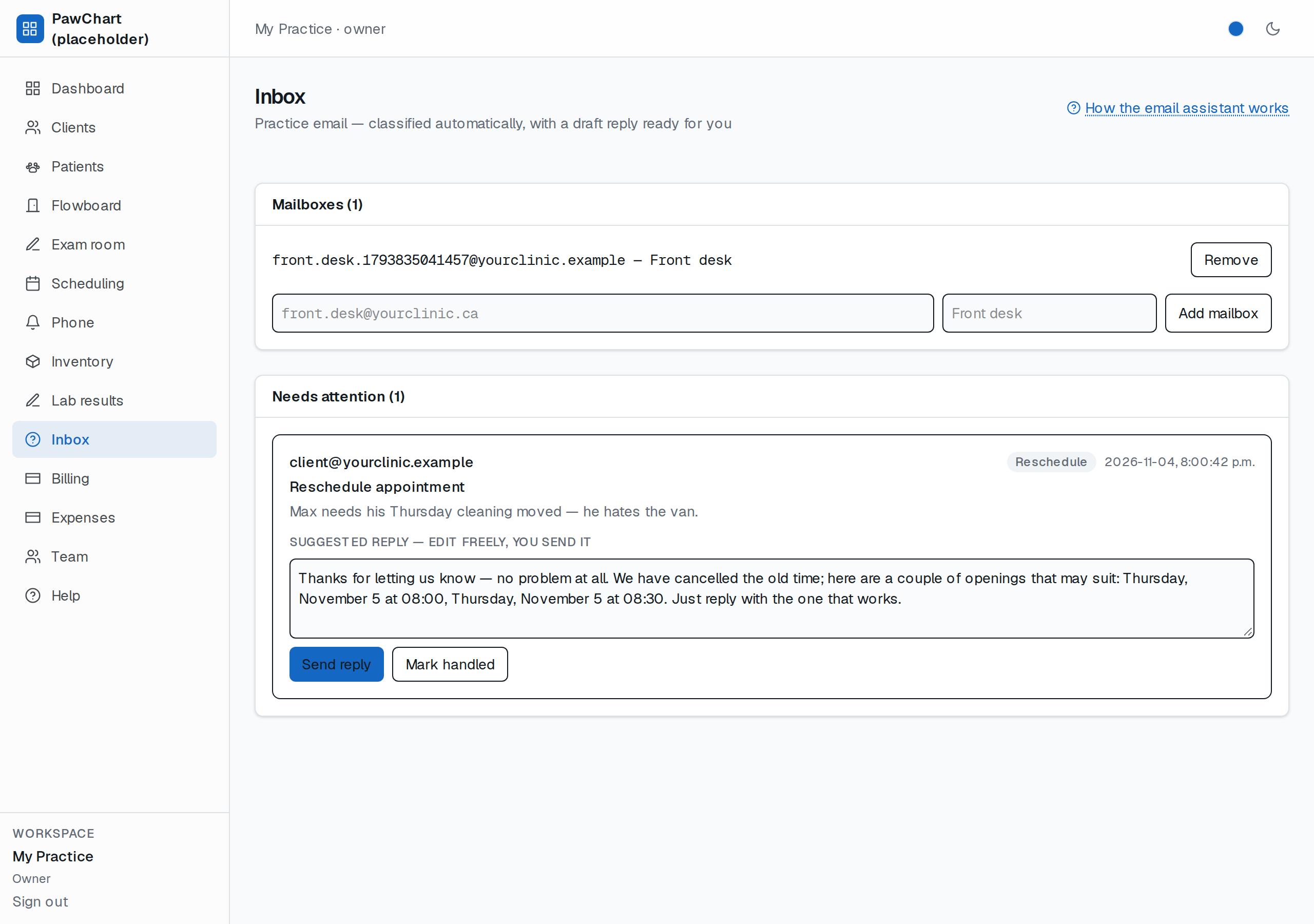
Your clinic's shared email address (e.g. `[email protected]`) arrives on the Inbox screen already sorted:
- Every email is classified on arrival: booking, reschedule, cancellation, billing, question, urgent, spam.
- Spam files itself away — it never clutters "Needs attention".
- Everything else gets a suggested reply written in Axon's voice, and for booking/reschedule requests the draft already contains real openings from your live schedule — same no-double-book rules as the phone assistant, never invented times.
- Emails from known clients attach to their client (and through them, their patients).
Setup (once)
1. Open Inbox → add your practice mailbox address.
2. Point your mail provider (Mailgun, SendGrid, or a simple forwarder) at this app's `/api/mail` webhook — with `MAIL_WEBHOOK_SECRET` set as the shared secret. (In test mode, `test=1` skips the secret.)
Who sees it
Owners and front-desk staff can read and answer (`inbox:read`/`inbox:write`); techs and vets see the clinical screens instead.
Let it answer by itself (optional)
With the AI assistant module on, you can allow fully automatic replies for safe intents (reschedule, booking, questions). An allowed email is answered within seconds — even at 3 a.m. Anything outside your allowed list still waits for a human. Every automatic reply is logged and itemized like everything else, and your monthly AI budget cap stops it cold if you set one.
Good to know
- "Send reply" without a mail provider key configured runs a dry run — the email is marked handled and the exact text is stored, so you can rehearse before going live.
- The assistant never cancels, charges, or reschedules by itself from email — it proposes; a human (or your allowed auto-send list) commits.