Answering the phone after hours
When your clinic line goes unanswered — nights, weekends, the busy Saturday — an automated assistant picks up instead of the voicemail beep and can book appointments itself. No human needed.
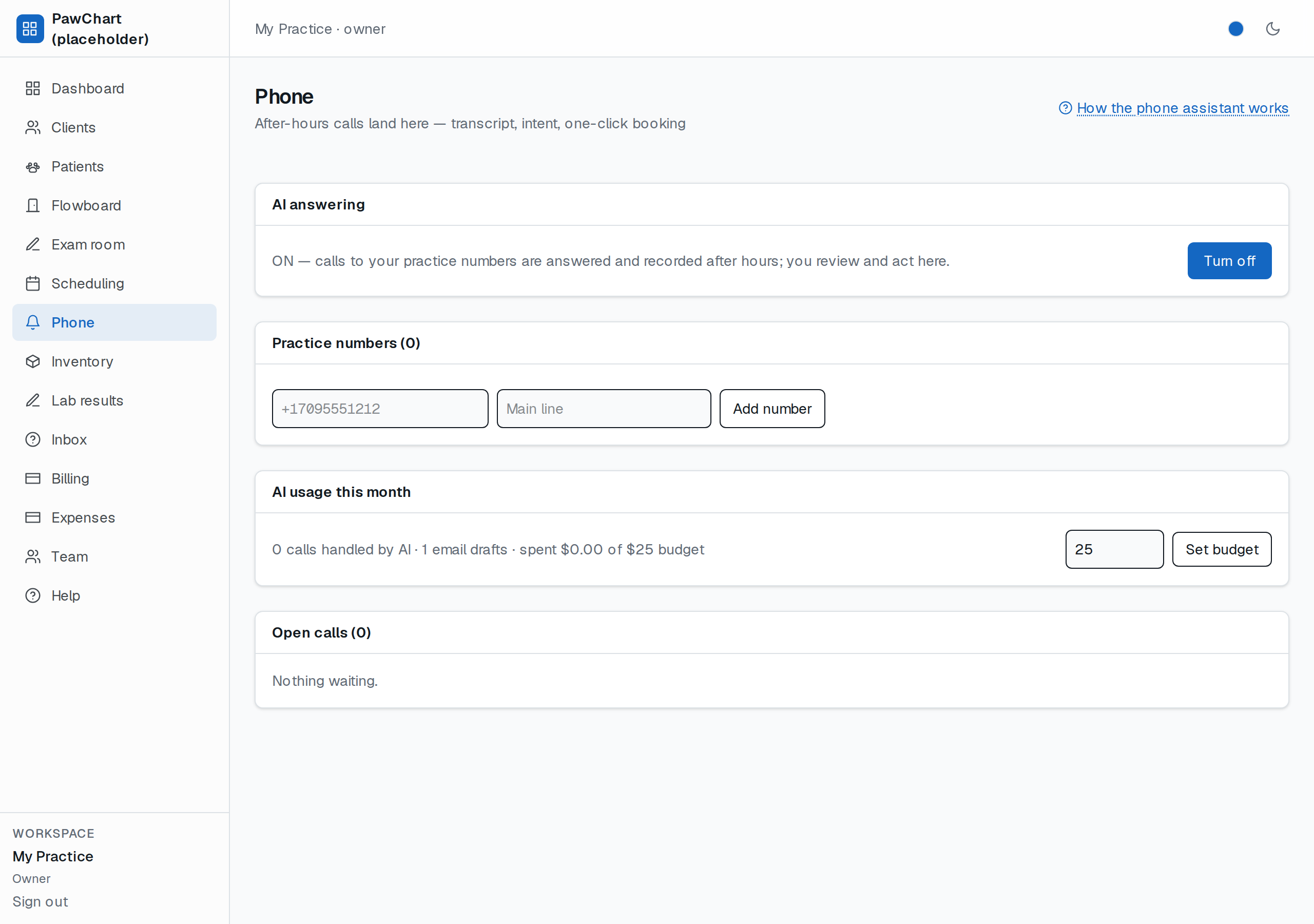
*The Phone screen: the AI switch and monthly budget (owner only), your clinic numbers, AI usage this month, and open calls waiting for you.*
What the caller experiences
1. A short greeting that always says the call may be answered by an automated assistant (polite and legally clean in both Canada and the US).
2. It asks: book or message?
3. Say *"book"* and it reads two real openings from your schedule — "I can offer Tuesday, November 3 at 9:00 AM, or Wednesday at 2:30 PM. Which works for you?"
4. The caller says *"the first one"* (or the time), the assistant repeats the exact appointment back for confirmation, says *yes*, and it's on your schedule like any other booking — titled AI phone booking.
5. Say *"message"* and it records a voicemail as normal.
Safety rails
- Your calendar is the truth. The assistant only offers slots that pass the same rules as manual booking — buffers, no overlaps, practitioner availability. It can never double-book, cancel, or move anything.
- Emergencies never get sold. If the caller says *emergency*, *crisis*, *bleeding*, *can't breathe* etc., the assistant stops, says to call 911 (or your front desk), and leaves an open call entry for a human to follow up.
- Nothing financial happens. The voice assistant books appointments only — no charges, no clinical promises.
- Owner on/off switch + budget. The owner can turn the assistant off or cap its monthly AI budget from the Phone screen; off or over budget, callers get voicemail instead of booking. See AI usage & pass-through billing.
Where do I see these calls?
Open the Phone screen in the sidebar (same permissions as Scheduling). The Open calls card lists every unanswered call with the caller's name, the transcript, and two buttons: Book first open slot or Dismiss. A booking made by the assistant during the call already shows on Scheduling; an emergency or voicemail stays open here until you act.
Good to know
- This works with a standard Twilio number pointed at the app — a $1/month number is enough to start. Add it under Practice numbers on the Phone screen.
- The booking conversation costs nothing in AI usage (it's a deterministic loop, not a chatbot). Costs only apply if you later enable free-form message understanding.