Files on a visit
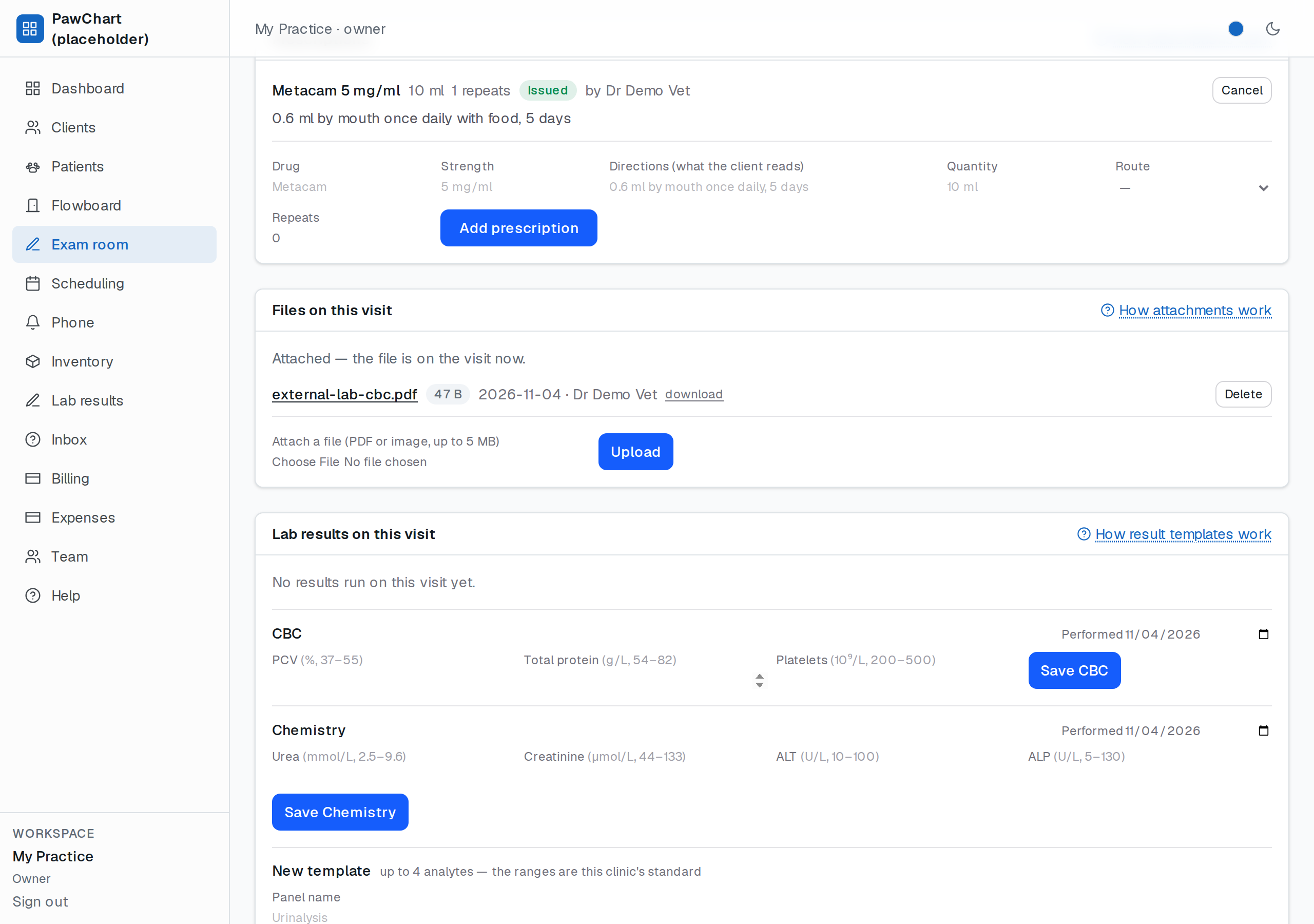
A clinic runs on paper it never asked for: the referring vet's letter, the outside lab's PDF, the radiograph from the emergency hospital, the photo of the lump taken in the run. Files on a visit is where those land — attached to the visit they belong to, so they turn up on the printed record, in the patient's history and in the audit trail, instead of in someone's email search.
How to use it
Open the visit and use the Files on this visit card. Pick the file and Upload. Each row shows the name, the size, the date, and who uploaded it — the last matters more than it sounds when three people handled the same case.
- Open views the file in the browser; download saves it with its original name.
- Delete removes it (the visit and its charges are untouched).
What is accepted
PDF, PNG, JPEG and WebP up to 5 MB per file. The limit is deliberate: a scanned referral letter is comfortably under it, and anything bigger is usually a raw DICOM study, which belongs in the imaging system rather than in the chart. A file type that is not on the list — an SVG or a Word document, say — is refused with the reason, because an SVG is a script wearing a picture's clothes.
Where files live
The file is stored with the practice's own data, not on a third-party drive, so the same tenant rules that protect the chart protect the attachment: another practice cannot open the link even if it has the exact address, and deleting a user leaves the file (with its uploader's name kept in history). Nothing here is scanned or executed — it is kept as received, byte for byte.
Limits, honestly
- 5 MB per file, PDF/PNG/JPEG/WebP only; no DICOM, no zipped multi-page lab bundles yet.
- No virus scanning of uploads yet — the allowlist narrows the risk, it does not inspect contents.
- No automatic filing: a PDF emailed in by the lab still has to be saved and attached by hand. The inbox-side automation is part of the messaging work.
- Files are attached to a visit, not floating free per patient: something that has no visit yet needs the visit first (which is usually the honest answer — the finding arrived *during* an episode of care).
Related
- Visit record — the document the files ride along on.
- Lab results — the structured result entry for what the PDF says.
- Exam records & signing — the note the findings are written into.