Lab results (the honest v1)
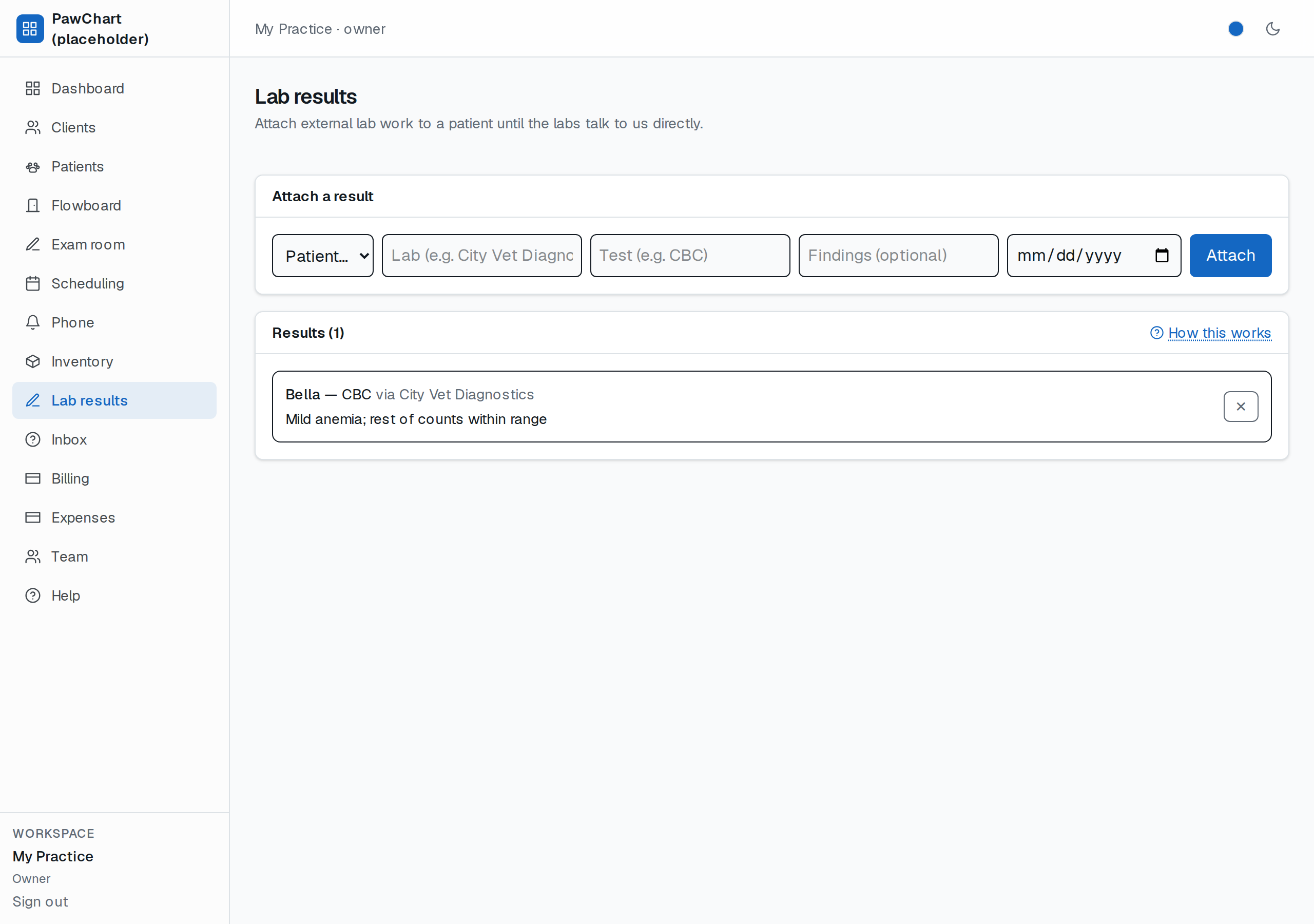
External labs don't talk to our software yet — every clinic still gets a courier bag or an email PDF. Until those integrations happen (they're coming), this screen is the chart bridge: log the headline so the patient's record is never blank.
What you do
Pick the patient, name the lab and the test, paste the findings (optional — sometimes only the flag arrives first), and hit Attach. Results sit newest-first, each tagged with the patient, lab, test and performed date. Delete is one click (mistakes happen).
The lab's own PDF belongs on the visit it came from — attach it there (see Files on a visit) so it prints with the record instead of living in an inbox.
When you want the *numbers* themselves in the chart — flagged against your own ranges and printed on the visit record — run the panel as a template (see Result templates). This screen stays the place for what arrives as a report with no structured data to key in.
What it deliberately is NOT (yet)
- It does not pull results automatically — that's a per-lab integration and each one bills differently.
- It does not replace the lab's own report; the numbers live there. This is the pointer + your summary.
- Insurance and lab SDKs share the same "later, when it pays for itself" budget rule.
One day of printouts logged here and you'll never dig through the courier bag again.